
Invoice Guides & Resources
By Innvoic
Not sure which invoice tool you need? Start here. Every guide below pairs plain-English advice with a working generator you can use without signing up. credit note generator
Choose your invoice tool
- Free Invoice Generator — No Signup: The main tool. No account needed; your invoice data never leaves your browser.
- PDF Invoice Generator: Turn any invoice into a clean, print-ready A4 PDF, straight from your browser.
- Invoice Generator App: Invoice from your phone. Mobile-first layout, nothing to install, works on iPhone and Android.
- Excel Invoice Generator Alternative: Skip the spreadsheet formulas. Automatic totals, plus CSV export for Excel.
- Automatic Invoice Generator: Auto-numbering, live totals, client autofill, self-drafting reminders. The boring parts, handled.
- Free Invoice Templates: Five designs, five document types. Pick a look, fill it in, download the PDF.
Tax invoices
- GST Invoice Generator (India): INR formatting, per-line GST %, UPI payment QR codes in the preview.
- VAT Invoice Generator (UK): GBP formatting, VAT per line or per invoice, professional A4 layout.
- Tax Invoice Generator: Any tax system. Per-line and invoice-level tax with automatic totals.
Quotes, proformas & receipts
- Quote & Estimate Generator: Professional quotes that convert to invoices with one click.
- Proforma Invoice Generator: Preliminary bills for deposits, advance payments and exports.
- Receipt Generator: Payment confirmations with amount-paid and balance-due tracking.
Beyond the guides: payment reminder templates for the follow-up, a late fee calculator for overdue invoices, a freelance rate calculator for pricing your work, and how to create an invoice if you’re starting from scratch.
Frequently asked questions
Which invoice generator should I use?
Start with the main free invoice generator. It handles invoices, estimates, quotes, proformas and receipts in one tool. The specialized guides above cover tax-specific fields (GST, VAT) and particular formats (PDF, Excel-style workflow) when you need them.
Are all these tools really free?
Yes. Every generator on this site is free, no signup, no watermark, no usage limits. They all run in your browser. Nothing is uploaded to a server.
Do I need a different tool for quotes and invoices?
No. One tool handles all five document types. Create the quote, then duplicate it as an invoice when the client approves. The guides above just explain each workflow in detail.
Related: how to create an invoice.
Invoice guides
Practical guides for freelancers and small businesses who send invoices. Each guide answers a specific question with examples and numbers — no filler.
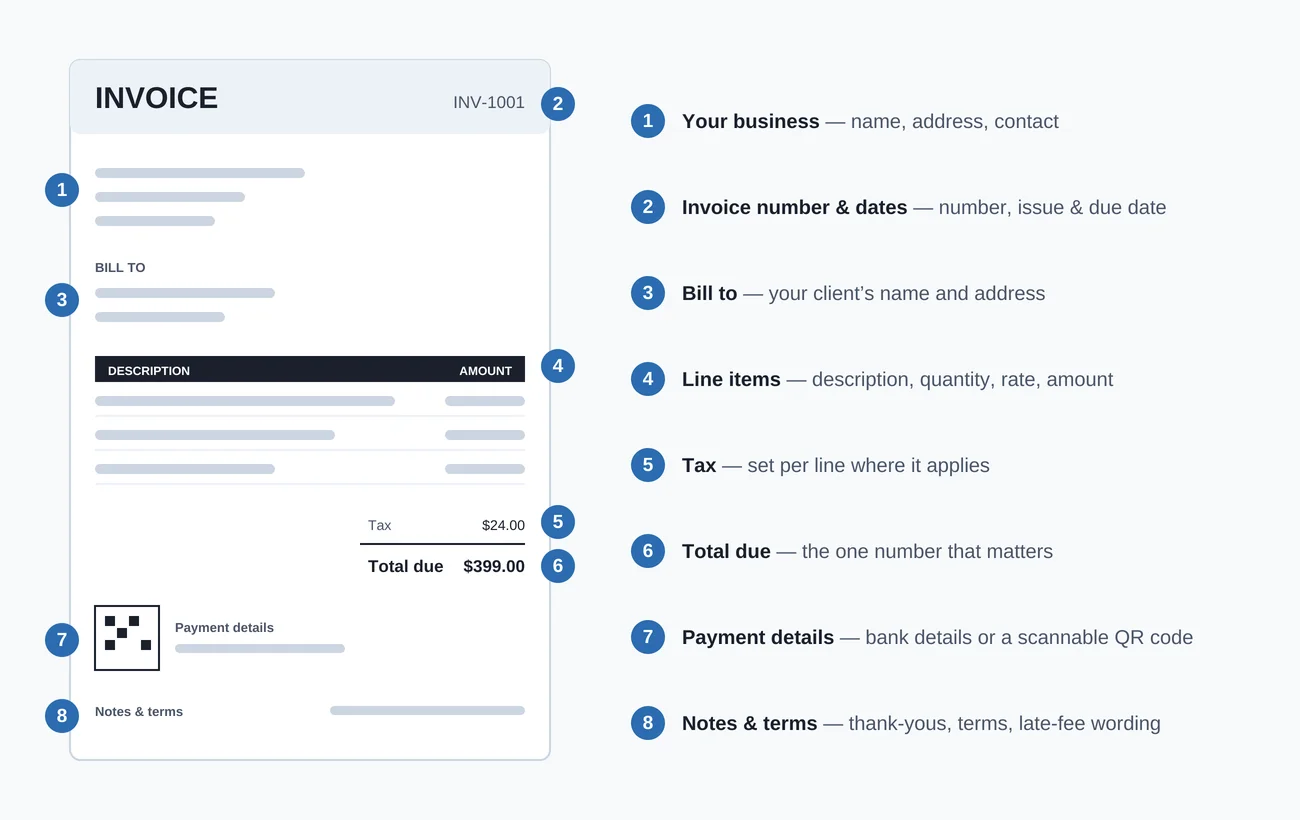
- How to create an invoice — the 7-step process, from business details to sending
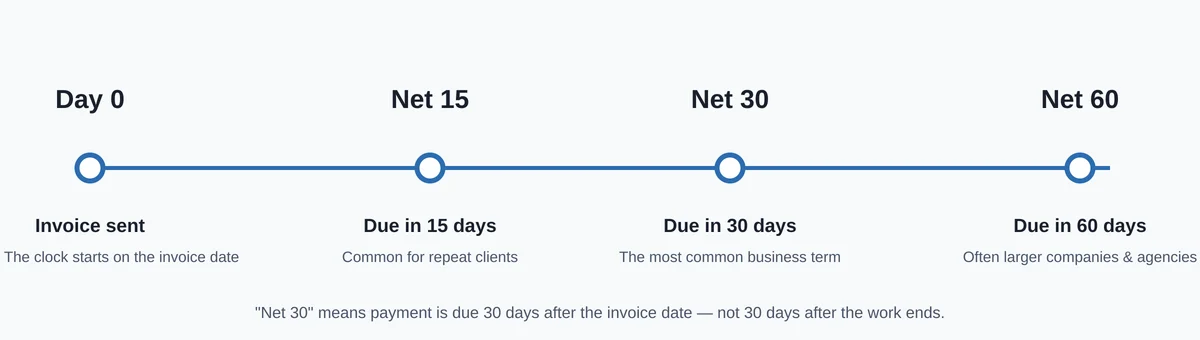
- Payment reminder templates — 3 copy-paste email scripts (gentle, firm, final)
- Invoice templates — 6 fictional examples by trade, plus downloadable Word and Excel files
Start here: If you’ve never sent an invoice, read how to create an invoice first. If you’re chasing payment, grab a reminder template.