
Fill in the form and download a clean PDF invoice. Free, with no signup and no watermark — your data never leaves your browser.
How to create an invoice
Add your details
Enter your business name, your client’s details, and an invoice number. Clients save on your device for next time.
Add line items, tax & currency
List what you’re billing with quantity and rate. Pick a currency, add tax or discount — totals calculate automatically.
Download the PDF
Click Download PDF for a clean, print-ready invoice to send to your client. No account, no email gate, no watermark.
Pressure Washing Invoice Example
By Innvoic
Last checked: October 2026
A pressure washing job moves through stages, and each stage fits a different document. This page helps you pick the right one. The selector below recommends which of the tool’s existing six document types fits your job stage. It does not auto-generate documents, it does not add document types, and the tool itself is unchanged.
Innvoic is a free invoice generator that runs in your browser with no signup. Your invoice data stays in your browser unless you choose to share a link or send it yourself.
There is no separate blank file to download. You build the document in the generator, using the type the selector recommends, and you download it as a PDF. If you are new to the tool, start with how to create an invoice, which walks through the form step by step.
Which document fits your job stage?
Use this table to find your stage, then open the generator and pick the recommended type there. The links below open the generator. They do not preselect the document type, so pick the type in the generator after the page loads.
| Your stage | Document to use | When to use it |
|---|---|---|
| Price not fixed, scope uncertain | Estimate | The job is uncertain and the price may change. |
| Scope clear, fixed price offered | Quote | You are offering a fixed price you stand behind. |
| Commercial client needs approval or a PO before work | Proforma invoice | Approval is needed before work starts. |
| Work done, ready to bill | Invoice | The work is finished and payment is due. |
| Payment received | Receipt | You need a record that payment arrived. |
| Adjustment, correction, or partial refund | Credit note | Something on an earlier invoice needs correcting. |
| Invoice sent, payment not yet in | Follow-up (an action, not a document) | A polite reminder before the due date, or an overdue notice after it. |
Power washing and pressure washing name the same service family, and this page covers both terms. A power washing job is invoiced the same way as a pressure washing job, with the same six document types.
Soft washing is the low-pressure method in the same family, and it is invoiced the same way too.
The example below walks one job through the stages, and the sections after it explain each stage in turn. For the general comparison of the five main documents, see invoice vs quote vs estimate, which covers the differences outside any one trade.
A pressure washing job from estimate to receipt
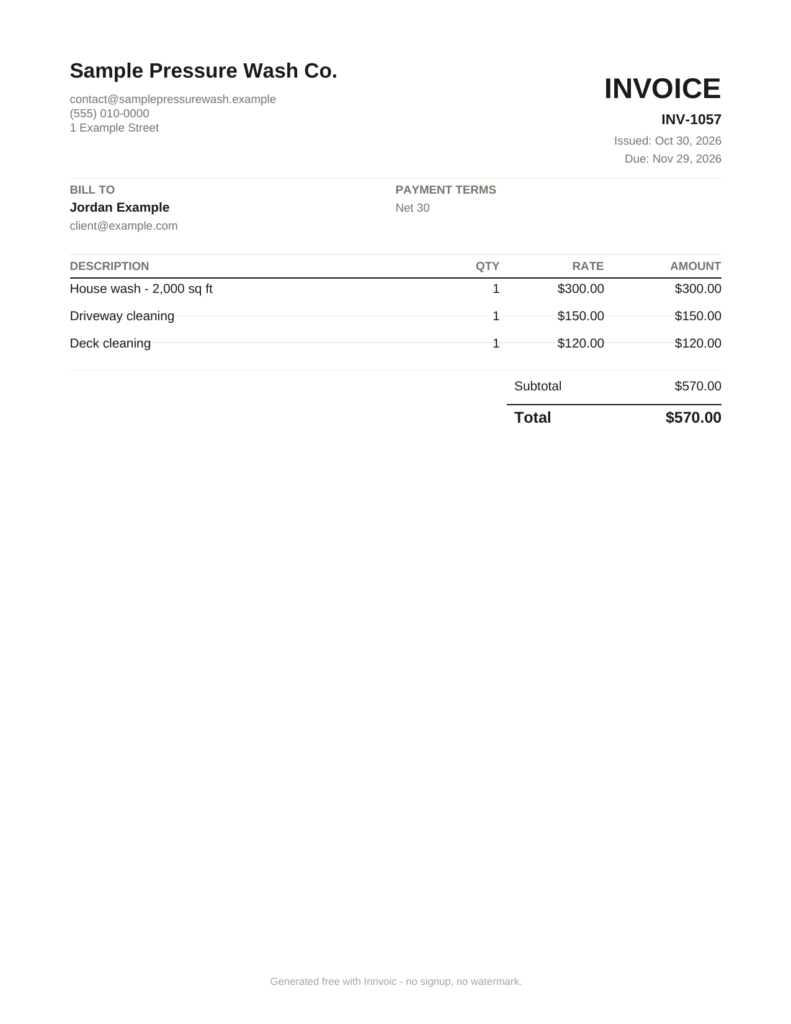
This is a fictional job, with fictional figures, shown only to walk through the stages. The figures are example data, not typical or market rates. The business is Sample Pressure Wash Co., and the client is Jordan Example.
The job starts as an estimate, because the scope is not yet fixed. The estimate lists three lines: house wash, driveway cleaning, and deck cleaning. The client accepts, the work is done as listed, and the invoice carries the same three lines at the same amounts. The invoice number is INV-1057, and the total is $570.00. When the client pays in full, the receipt keeps the same number, INV-1057, shows the amount paid, and the balance due reads $0.00.
| Fictional example lines (invoice INV-1057) | Qty | Rate | Amount |
|---|---|---|---|
| House wash – 2,000 sq ft | 1 | $300.00 | $300.00 |
| Driveway cleaning | 1 | $150.00 | $150.00 |
| Deck cleaning | 1 | $120.00 | $120.00 |
| Total | $570.00 |
Two short variants, not part of this job’s timeline, show the remaining stages. A commercial client who needs approval before work would get a proforma invoice with the same three lines, presented as a pre-work approval document rather than a bill. If the deck cleaning were later dropped from the job, a credit note for the deck line alone would total $120.00, with the number converted to CN-1057 and the amount shown as entered, not negated. All six stages were rendered from this job in the tool at draft time, and the totals, the same-number receipt, and the credit note amount were checked against the tool output.
For a similar worked example in another trade, see the cleaning invoice generator and the landscaping invoice generator.
Estimate: when the price is not fixed yet
Use an estimate when the final cost is not fixed yet. Pressure washing jobs often start this way: the surface area is approximate, the staining is worse than expected, or access turns out to be difficult. An estimate gives the client a realistic price before work starts, with the understanding that the price may change. Generate an estimate in the generator, fill in the lines as you currently expect them, and download it as a PDF to send to the client.
Quote: when the scope is clear and the price is fixed
Use a quote when the scope is clear and you are offering a fixed price. Commitment is the difference from an estimate. An estimate says the price may change; a quote promises an amount. If the client accepts the quote, that amount is what you agreed. Generate a quote in the generator once you have walked the property and you know exactly what the job includes.
Proforma invoice: when a commercial client needs approval first
Use a proforma invoice when a commercial client needs approval, or a purchase order, before work starts. A proforma invoice is a pre-work approval document. It is not a tax invoice, and it is not a payment request for completed work. It shows the client what the work will cost so their approval process can run before you start. This stage is the one competitors leave open most often, and it matters for property managers, offices, and other commercial clients who cannot approve work without paperwork first. If the client gave you a purchase order number, put it in the PO number field on the form.
Invoice: when the work is done and you are ready to bill
Use an invoice when the work is done and you are ready to bill. An invoice is a payment request with delivered items, the amount owed, and a due date. Generate an invoice in the generator, list what was actually done, set the due date, and download the PDF. The tool does not send the invoice for you and it does not collect payments. Sending is a mailto handoff: the tool opens your own mail app with the invoice details ready, and you send it yourself. For terms that help you get paid on time, see invoice payment terms.
Receipt: when payment arrives
Use a receipt when payment arrives. A receipt is a record of payment, not a new bill. The receipt carries the same number as the invoice, because switching the document type to Receipt leaves the number unchanged. When the client pays in full, enter the amount paid and the balance due reads $0. If the client pays part of the total, the receipt shows the amount paid and the balance still due. Generate a receipt in the generator from the same invoice, with the same number, so your records stay matched.
Credit note: when something needs correcting
Use a credit note when something on an earlier invoice needs correcting, or when you owe a partial refund. Switching the document type to Credit Note converts an INV- number to a CN- number, and switching back converts CN- back to INV-. Amounts stay exactly as entered. The tool does not negate amounts for credit notes, so a credit note total is positive unless you type negative amounts yourself. If you need to reference the original invoice, type that reference as free text in the Notes field, since there is no dedicated original-invoice-number field.
Follow-up: a reminder action, not a document
Follow-up is not a document type. It is a reminder action attached to the invoice stage. Send a polite reminder before the due date, and an overdue notice after it. The tool has no follow-up document, template, or output of its own. For wording at each stage, from a gentle reminder to a firm final notice, see payment reminder templates, which open pre-filled in your own mail app.
Can I download a pressure washing invoice as a PDF?
Yes. Every document type in the generator downloads as a PDF with selectable text, and the PDF footer reads “Generated free with Innvoic – no signup, no watermark.” The downloaded PDF lists payment methods as text only. It carries no payment QR code, even when the on-screen preview shows one. If the direct download is not available, your browser’s print dialog opens as a fallback.
Is the pressure washing invoice template free?
Yes. The generator is free, with no signup and no watermark on the PDF. There is no account to create and no trial to expire. Your business details, your client list, and your invoice history save on your own device, in your own browser, so they do not follow you to another device.
Questions about pressure washing invoices
How much should I charge for pressure washing?
Price from your own costs: your time, your equipment, your supplies, and the scope of the job. Put each part of the job on its own line item, so the client sees what the price covers. If the scope is uncertain, start with an estimate. If the scope is clear and you can stand behind a fixed price, use a quote instead. The tool sets no rates and suggests no prices. The figures in the example above are fictional example data only, not a suggestion for what to charge.
Do I need a different document for a commercial client who needs approval before work?
Yes, use a proforma invoice. A proforma invoice is a pre-work approval document, not a tax invoice and not a payment request for completed work. It lets a commercial client’s approval process run, including a purchase order, before you start the job. Once the work is done, bill it with a regular invoice.
What happens to the invoice number when I switch to a receipt or a credit note?
Switching to a receipt leaves the number unchanged, so the receipt carries the same number as the invoice. Switching to a credit note converts an INV- number to a CN- number, and switching back converts it back to INV-. Amounts stay exactly as entered on a credit note, with no sign negation by the tool.
Does the invoice generator send the invoice or collect payment?
No. The tool does not send the invoice and it does not collect payments. Sending is a mailto handoff to your own mail app, and payment happens through whatever method you and your client agree on, listed as text on the downloaded PDF. Reminder wording for overdue invoices lives on payment reminder templates.
How much should I charge for pressure washing?
Price from your own costs: your time, your equipment, your supplies, and the scope of the job. Put each part of the job on its own line item, so the client sees what the price covers. If the scope is uncertain, start with an estimate. If the scope is clear and you can stand behind a fixed price, use a quote instead. The tool sets no rates and suggests no prices. The figures in the example above are fictional example data only, not a suggestion for what to charge.
Do I need a different document for a commercial client who needs approval before work?
Yes, use a proforma invoice. A proforma invoice is a pre-work approval document, not a tax invoice and not a payment request for completed work. It lets a commercial client’s approval process run, including a purchase order, before you start the job. Once the work is done, bill it with a regular invoice.
What happens to the invoice number when I switch to a receipt or a credit note?
Switching to a receipt leaves the number unchanged, so the receipt carries the same number as the invoice. Switching to a credit note converts an INV- number to a CN- number, and switching back converts it back to INV-. Amounts stay exactly as entered on a credit note, with no sign negation by the tool.
Does the invoice generator send the invoice or collect payment?
No. The tool does not send the invoice and it does not collect payments. Sending is a mailto handoff to your own mail app, and payment happens through whatever method you and your client agree on, listed as text on the downloaded PDF. Reminder wording for overdue invoices lives on payment reminder templates.
Related: cleaning invoice generator, landscaping invoice generator, how to create an invoice, invoice payment terms, invoice vs quote vs estimate, payment reminder templates.